HTML <code> Tag
The <code> tag is used to define a part of computer
code. It's part
of
the semantic tags
in HTML which indicate the purpose of the content inside them.
This <code> tag is generally used to display code particles or
inline
programming-related
text. The text inside this label is generally shown in a monospace (fixed-range)
font, which helps
in separate it from regular content.
Syntax
<code> Your code here </code>
Example 1 Inline Code
To print in Python, use print("Hello Coders").
Example 2 Code Block
       <pre>
       <code>
       function greet() {
        console.log("Hello, world!");
       }
       </code>
       </pre>
Output :
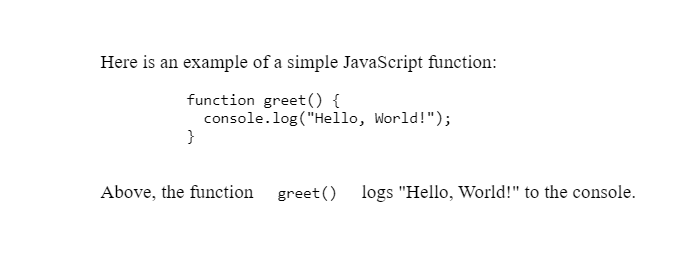
(This image here showing the text "print("Hello World!")" in a monospace font inline within a sentence, and a block of JavaScript code also in a monospace font.)
Note
If you are displaying multiple lines of code/tag/rules or want to save formatting, it's
recommended to
wrap the
<code> tag inside the <pre> tag.
Use Cases
- Displaying HTML, CSS, or JavaScript code.
- Adding programming language example in tutorials.
- Referencing short pieces of code inline within content
Styling
You can select the <code> tag using CSS to change background,
font
color, etc.
        code {
        background-color: #f4f4f4;
        padding: 4px;
        border-radius: 4px;
        color: #d63384;
        }
"Code is poetry — and the <code> tag is its frame."