HTML <pre> tag (Preformatted Text)
The
<pre>
tag is designed to present preformatted text. It
maintains:
- Spaces
- Line breaks
- Tabs and structure
Generally, HTML disregards fresh spaces and line
breaks. still, the <pre> tag
displays the text exactly as it's written within
the tag.
Syntax
                 <pre>
                      Your content goes here.
                      With exact spacing.
                      Even with indentation!
                 </pre>
Example
There’s some content within a
<pre> tag:
                    Name:     MK_Coder
                    Profession:   Web Development
                    Learn:    HTML, CSS, JS, ReactJs
Another Example with Code
     <!DOCTYPE html>
     <html lang="en">
     <head>
         <meta charset="UTF-8">
         <meta name="viewport" content="width=device-width, initial-scale=1.0">
         <title>Pre tag Example</title>
     </head>
     <body>
         <pre>
     This  text
      will appear
       exactly as
        formatted.
         </pre>
     </body>
     </html>
Python Code Using <pre> tag
In this part, we will use HTML to show a basic
Python program that work 'Hello, Bhai' to the
press. No need to stress about understanding
Python; our focus is on display how to present the
program with the HTML
<pre> tag.
      <pre>
      def greet(name):
          print(f"Hello, {name}!")

      greet("Bhai")
      </pre>
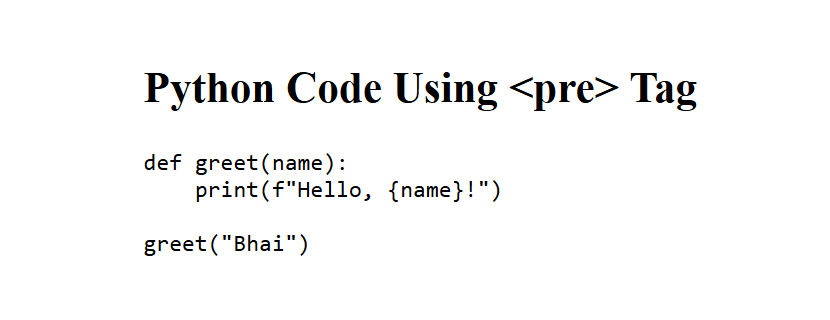
(This image here showing the Python code rendered in a browser with monospace font and preserved indentation.)
Summary Table
| Property | Details |
|---|---|
| Tag Name | pre |
| Full Form | Preformatted Text |
| Ending tag? | Yes (Requires) |
Note
By disclaimer, browser show content using a monospace font, similar as Courier New or Consolas.