HTML Inline Element
In HTML, inline elements are those elements that do n't start on a new line. They sit within a line, allowing content to flow naturally alongside them. These elements only used the space needed by their content, and they do n’t break the flow of the document.
Key Features of Inline elements
- They do n't begin on a new line.
- They only take up as important range as necessary.
- Given really to format text and fit small pieces of content inside block-position elements.
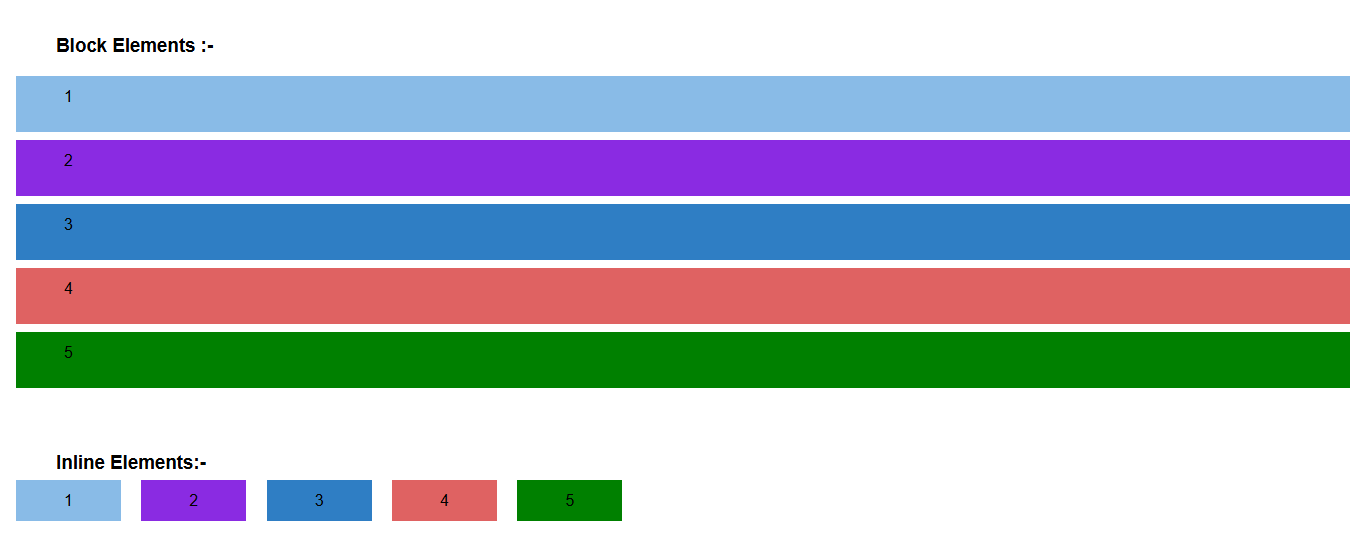
(This example showing text flowing around inline elements like bold words or links.)
Common Inline Elements in HTML
-
<span>– Used as a general container for text. -
<a>– Anchor tag for links. -
<strong>– Bold text (important content). -
<em>– Italic text (emphasized content). -
<img>– Embeds an image. -
<br>– Line break (technically inline). -
<code>– For displaying code snippets. -
<input>,<button>– Text fields and buttons in forms. -
<label>– Describes form elements. -
<link>– Defines a hyperlink (usually in<head>). -
<abbr>– Defines an abbreviation or acronym. -
<acronym>– Represents an acronym (obsolete in HTML5). -
<b>– Makes text bold without added importance. -
<bdi>– Isolates text for direction formatting. -
<bdo>– Overrides the current text direction. -
<cite>– Cites the title of a work. -
<kbd>– Displays keyboard input. -
<dfn>– Represents the defining instance of a term. -
<i>– Italicizes text without emphasis. -
<mark>– Highlights text. -
<q>– Defines a short quotation. -
<s>– Renders text with a strikethrough. -
<samp>– Represents sample output from a computer program. -
<small>– Defines smaller text. -
<sub>– Defines subscript text. -
<sup>– Defines superscript text. -
<strong>– Strong emphasis. -
<var>– Represents a variable. -
<wbr>– Specifies a possible line break.
Example
HTML rule
      <p>This is a <b> bold </b> word inside a paragraph.</p>
      <p>Here's a <a href="#">Click Me</a> link.</p>
Output :
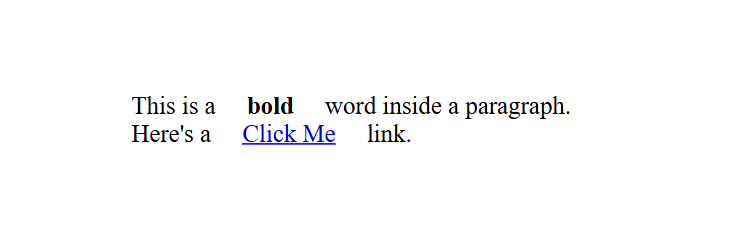
(This image here showing two paragraphs. The word "bold" in the first paragraph is bolded, and "Click Me" in the second paragraph is displayed as a clickable link, both remaining within their respective lines.)
Note
Inline elements can not contain block-position
elements inside them. For example, you can not
place a <div> outside a
<span> — it'll break the HTML
structure.