Further on HTML Forms
HTML forms are n't limited to just collecting user input. In real- world operations, we frequently need more advanced features like file uploads, confirmation, and data protection. These features help improve the user experience.
1️ File Upload in Forms
The <input type="file"> lable allows user to select a file from their
computer and upload
it.
Syntax
        <form action="/upload" method="post" enctype="multipart/form-data">
          <label for="fileUpload">Choose a file:</label>

          <input type="file" id="fileUpload" name="uploadedFile"><br><br>
          <input type="submit" value="Upload">
        </form>
Note
enctype = "multipart/form-data"– needed for uploading files.type = "file"– Allows the user to select a file.
HTML5 includes erected-in form confirmation features. You can validate form fields without using JavaScript.
Common confirmation Attributes
required– Field must be filled before submitting.minlength/maxlength– Controls the length of textbook input.pattern– Validates input using regular expressions.type = "email",type = "number"– Enforces specific input formats.
Example
        <form action="/submit" method="post">
          <label for="email">Email:</label><br>
          <input
            type="email"
            id="email"
            name="email"
            required><br><br>

          <label for="password">Password (min 8 characters):</label><br>
          <input
            type="password"
            id="password"
            name="password"
            minlength="8"
            required><br><br>

          <input
            type="submit"
            value="Submit">
        </form>
Preview :
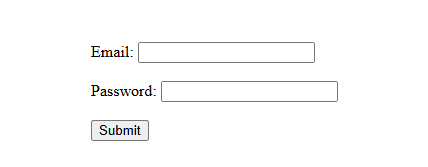
(This image here showing a form with "email" and "password" fields. If the user try to submit without filling them or with an invalid email/short password, browser-based error messages are displayed.)
Readonly & Disabled Inputs
Sometimes, you may want to make certain inputs non-editable or temporarily inactive.
readonly– The field can not be edited, but its value is still submitted.disabled– The field is unchangeable and not submitted with the form.
Example
        <form action="/submit" method="post">
          <label for="name">Name:</label><br>
          <input
            type="text"
            id="name"
            name="name"
            value="MK_Coder"
            readonly><br><br>

          <label for="email">Email:</label><br>
          <input
            type="email"
            id="email"
            name="email"
            value="mohit.coder@gmail.com"
            disabled><br><br>

          <input
            type="submit"
            value="Submit">
        </form>
Preview :

(This image here showing a form with a "Name" field containing "MK_Coder" that cannot be edited, and an "Email" field with "mohit.coder@gmail.com" that is unchangeable and inactive.)
Autocomplete & Autofocus
autocomplete– Suggests initially entered values from the browser.autofocus– Automatically focuses the field when the web page loads.
Example
        <form action="/submit" method="post" autocomplete="on">
          <label for="name">Name:</label><br>
          <input
            type="text"
            id="name"
            name="name"
            autofocus><br><br>

          <label for="city">City:</label><br>
          <input
            type="text"
            id="city"
            name="city"><br><br>

          <input
            type="submit"
            value="Submit">
        </form>
Preview :
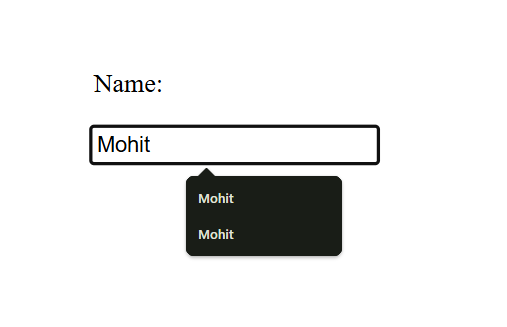
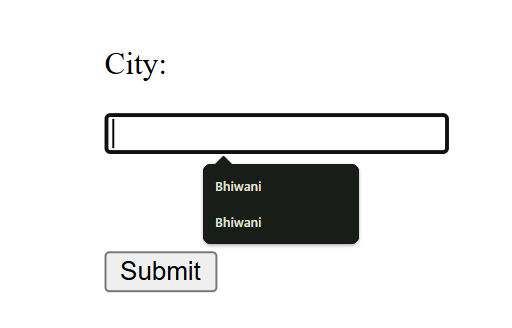
(This image here showing a form where the "Name" field is automatically highlighted upon page load, and when the user starts typing in the "City" field, the browser suggests previously entered cities.)
Summary Table – More on HTML Forms
| Feature | Purpose | Tag / Attribute |
|---|---|---|
| File Upload | Upload files via form | <input type="file"> |
| Validation | Ensure correct input before submit | required, pattern, type,
minlength
|
| Readonly / Disabled | Control input availability | readonly, disabled |
| Autofocus | Focus field on page load | autofocus |
| Autocomplete | Auto-fill form data | autocomplete="on/off" |