HTML <textarea> & <select> Tags
HTML forms are n't limited to just introduction
input fields. When we need to collect lengthy text
from users or present multiple options, we use
<textarea> and
<select>
elements.
<textarea> tag – Multi-line Input
The <textarea> tag is used when
we want to take multi-line input from the user,
similar as feedback, commentary, description, etc.
Syntax
<textarea name="yourText" rows="number" cols="number">Write your communication then.</textarea> Explanation
-
name: The name of the field for user-side processing. -
rows: Defines how number of lines use the textarea will appear. -
columns: Defines the range of the textarea in terms of columns.
Example
     <label for="comment">Comments:</label><br>
     <textarea id="comment" name="comment" rows="5" cols="30">Your valueable feedback.</textarea>
Preview :
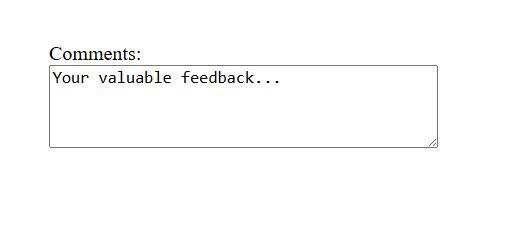
(This image here showing a multi-line text input box taged "Commentary" with the initial text "Your valueable feedback." inside.)
<select> tag – Dropdown Menus
The <select> tag is used to
produce a dropdown menu. Inside it, we use the
<option> tag to define each
available choice.
Syntax
        <select name="selectName" id="selectId">
        <option value="optionValue">Option Text</option>
        </select>
Explanation
-
<select>: Creates the dropdown menu.-
name: An identifier used to shoot the named data to the user.
-
-
<option>: Each point that the user can choose.-
value: The factual value transferred to the user when the form is submitted.
-
Example
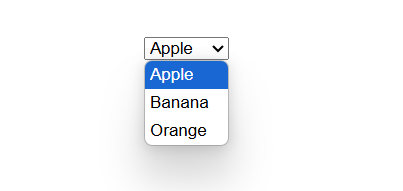
        <label for="favFruit">Choose your favorite fruit:</label><br>
        <select name="favoriteFruit" id="favFruit">
          <option value="apple">Apple</option>
          <option value="banana">Banana</option>
          <option value="Orange">Orange</option>
        </select>
Preview :
Tip :
You can use the multiple file within
the <select> tag to
allow-multi-selection.
Multi-select Example
        <label for="languages">select your favorite programming languages:</label><br>
        <select name="languages" id="languages" multiple size="7">
          <option value="javascript">JavaScript</option>
          <option value="python">Python</option>
          <option value="java">Java</option>
          <option value="csharp">C#</option>
          <option value="php">PHP</option>
          <option value="ruby">Ruby</option>
          <option value="go">Go (Golang)</option>
        </select>
Preview :
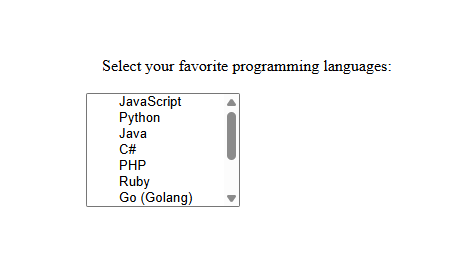
(This image here showing a dropdown menu taged "Choose your favorite fruit" with "Apple" selected by default, and another multi-select box taged "select your favorite programming languages" displaying "JavaScript", "Python", "Java", etc., with a scrollbar.)