HTML Line Break Tags (<br>)
The <br> tag is used to fit a
line break in your HTML content. It helps move the
following text to the next line without creating a
new paragraph.
Syntax
          This is the first part <br>
          and this part will be on the next line.
Note: This is a none-closing tag, meaning it doesn't need a separate ending tag.
Example
     <p>This is line one.<br>
     This is line two.<br>
     This is line three.And this is line four.</p>
Preview :
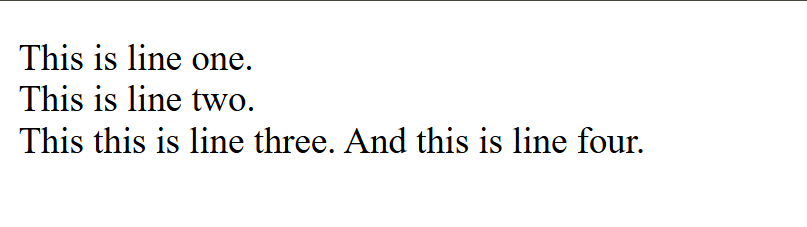
(This image here showing a browser window with "This is line one." on the first line, "This is line two." on the second, "This this is line three." on the third, and "And this is line four." on the third line.)
Use Cases
Writing addresses
     <p>Bhiwani<br>
     Haryana<br>
     India</p>
Note
Avoid using multiple <br> tags
to produce space between lines. For proper
distance, it’s better to use CSS practice like
margin or padding.
Summary Table
| Point | Details |
|---|---|
| tag Name | br |
| Type | none-ending |
| Operation | To break a line within a block of text. |
| Closes Automatically? | Yes |
| HTML Element Type | Inline |