HTML Forms
HTML Forms are one of the most essential elements in web development. They allow users to input data that can be transferred to a server for processing — similar as submitting contact details, logging in, subscribing up, searching content, etc.
Why Use Forms?
- To collect data from users (like names, emails, data).
- To allow users to sign up or log in.
- To produce checks and feedback forms.
- To perform catch queries.
- To upload files and images.
Basic Structure of a Form
A form in HTML is created using the
<form> tag. Inside it, we use
input fields, buttons, checkboxes, radio buttons,
and more.
Basic Example
         <form action="/submit" method="post">
           <label for="name">Name:</label>

           <input type="text" id="name" name="name">


           <label for="email">Email:</label>

           <input type="email" id="email" name="email">


           <input type="submit" value="Submit">
         </form>
Preview :
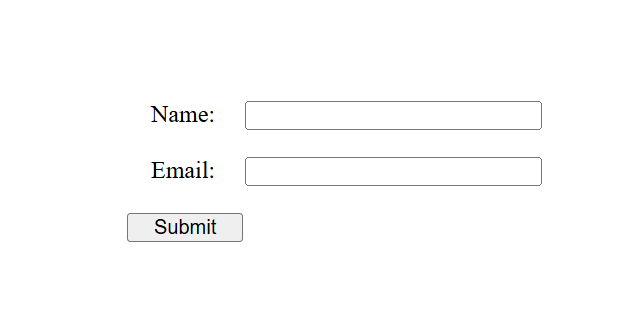
(This image here showing a simple form with tags "Name" and "Email" followed by text input fields, and a "Submit" button.)
Important Attributes of <form>
-
action– The URL where form data will be transferred. -
method– Defines how the data will be transferred:-
GET– Appends form data to the URL (not secure for sensitive data). -
POST– Sends data in request body (more secure).
-
-
name– Assigns a name to the form. -
id– Assigns an ID to be used with JavaScript or CSS.
Common Form Elements
-
<input>– For text fields, numbers, buttons, checkboxes, etc. -
<lable>– For defining lables for inputs. -
<textarea>– For multi-line text input. -
<select>and<option>– For dropdown menus. -
<button>– For clickable buttons.
Summary
HTML Forms give the way for users to interact with websites and submit data. A good form includes proper tags, documentation, and secure data handling practices. It's the backbone of almost every web operation.