HTML Unordered List (<ul>)
An unordered list in HTML is used when the sequence or order of particulars does n’t matter. It displays particulars with bullts points by disclaimer.
🔧 Syntax
          <ul>
          <li>point 1</li>
          <li>point 2</li>
          <li>point 3</li>
          </ul>
Example
          <ul>
          <li>HTML</li>
          <li>CSS</li>
          <li>JavaScript</li>
          <li>Python</li>
          <li>Bootstrap</li>
          <li>Java</li>
          </ul
Output :
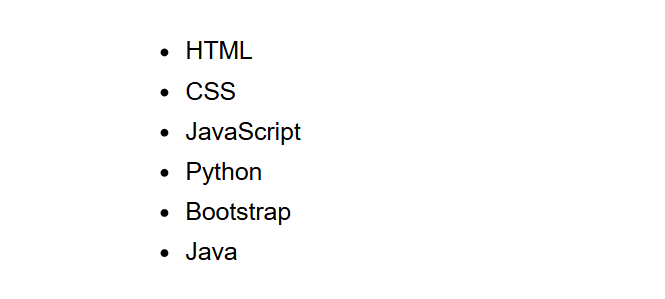
(This image here showing a bulleted list of "HTML", "CSS", "JavaScript", "Python", "Bootstrap", and "Java".)
Customizing bullts (unconstrained with CSS)
The style of the bullets can also be changed usingthe list-style-type property
in CSS.
     <ul style="list-style-type: square;">
     <li>HTML</li>
     <li>CSS</li>
     <li>JavaScript</li>
     <li>Python</li>
     <li>Bootstrap</li>
     <li>Java</li>
     </ul
Forecourt type list Example
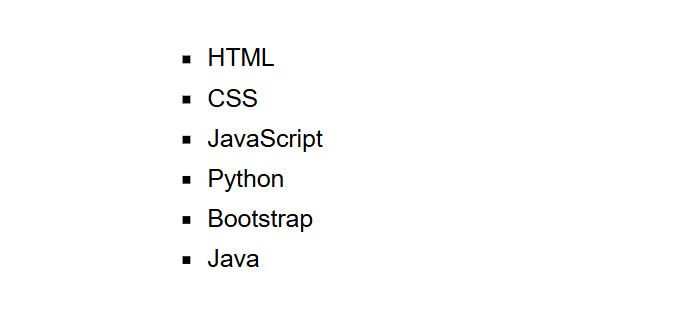
(This image here showing a square bulleted list of "HTML", "CSS", "JavaScript", "Python", "Bootstrap", and "Java".)
Common bullts Types
disc(filled circle, the default)circleA blank circle.squareA filled square.none(removes bullts)
Summary
- Use
<ul>for unordered lists. - Each point is wrapped outside
<li>(List point) markers. - Style when order of particulars isn't important.